Club anniversary · 5 years
Celebrating Five Years of Our Book Club
BETTER TOGETHER
Bring your people together in one special place. Celebrate achievements, recognise members, collect memories, and create moments your community can revisit.
Have a question? We have answers.
It is a shared digital page for a group to celebrate people, recognise contributions, collect messages and photographs, and remember meaningful moments together.
An organiser can create one for a workplace team, alumni group, club, nonprofit, family or friendship circle, developer group, neighbourhood, cultural association, or another community.
Yes. A Community page can collect team appreciation, project memories, achievements, farewells, and photographs. Dearlio does not provide employee directories or team permissions.
Yes. Guests can add freeform messages and photographs without creating an account.
Yes. Community pages can recognise volunteers, mentors, organisers, contributors, and other members.
Yes. Alumni groups and graduating classes can collect reunion memories, teacher appreciation, class photographs, and achievements.
Yes. Creators can choose a theme and accent colour, change the main image, and select a supported wall style from the dashboard.
Yes. Creators can review pending posts when moderation is enabled, and edit, hide, restore, or delete contributions from the dashboard.
Yes. Set the page to private and choose a PIN of 6 to 12 characters. Only people with the PIN can unlock it.
No. Guests can leave a supported message or photo without creating an account. The page creator signs in to manage the page.
Start with the details you know. You can shape the page and invite people when it feels ready.
Create a Community Page
Developer groups, open-source contributors, bootcamp cohorts and hackathon teams. Thank contributors and mark community milestones.
See how Tech community pages look
Teams, departments and remote crews. Recognise colleagues, mark launches and collect thanks at the end of a big year.
See how Workplace team pages look
Graduating classes, alumni networks and reunion groups. Classmates share memories, teacher thank-yous and news since.
See how Alumni group pages look
Book clubs, sports teams, choirs and societies. Members mark anniversaries and keep the photos from every season.
See how Club pages look
Charities, food banks and volunteer groups. Thank the volunteers, donors and organisers who give their time.
See how Nonprofit pages look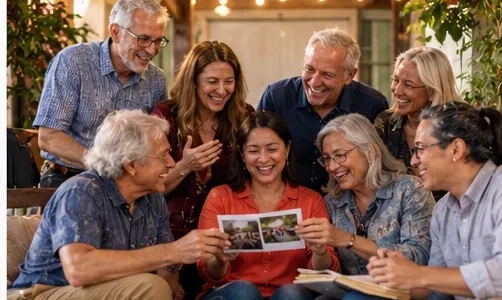
Extended families and long-standing friendship circles. Bring reunions, stories and photographs onto one page.
See how Family and friends pages look
Neighbourhood groups, cultural associations and diaspora communities. Celebrate the people who hold the place together.
See how Local community pages lookPEOPLE WHO SHOW UP
See how clubs, teams, and neighbourhood groups collect thanks, stories, and photographs in one shared place.
Club anniversary · 5 years
Celebrating Five Years of Our Book Club
Volunteer appreciation · 2026
Celebrating the People Behind Our Impact
Team celebration · 2026
Thank You for an Amazing Year, Team!
Workplace team
Graduating class · 2026
Class of 2026: Our Journey Together
Alumni group
WHO CAN CREATE A COMMUNITY PAGE?
Choose a community to preview its people, recognition, messages, memories, and photographs.
Community· Year in review · 2026
The people behind a year of code, mentoring, and meetups
Thank the people who reviewed, mentored, organised and debugged beside you this year. Add a note or a photo from a meetup.
Shared with love
Showing 2 of 2 wishes.
YOUR PAGE, YOUR WAY
Choose how your page looks, organise the memories, and manage contributions from one place.
Demo only. Nothing is saved.
Private dashboard
Review activity and shape the page guests experience.
Guest activity
New posts appear immediately. You can edit, hide, restore, or remove them.
| Person | Post | Type | Date | Visible | Actions |
|---|---|---|---|---|---|
Mara Maintainer | Jon reviewed first pull requests with such patience that three contributors became regular maintainers. | Wish | just now | ||
Dev Circle Meetup groupBerlin, Germany | Thank you to everyone who taught, documented, welcomed, and debugged beside us this year. | Wish | 2 hours ago | ||
Hack night crew Guest | Toasting the release in Mara's living room. | Photo | yesterday | ||
Anonymous | My first pull request was merged last week. Thank you for the patient reviews. | WishPending review | 2 days ago |
Mara
Maintainer · Posted just now
Jon reviewed first pull requests with such patience that three contributors became regular maintainers.
Dev Circle
Meetup group · Berlin, Germany · Posted 2 hours ago
Thank you to everyone who taught, documented, welcomed, and debugged beside us this year.
Hack night crew
Guest · Posted yesterday
Toasting the release in Mara's living room.
Anonymous
Posted 2 days ago
My first pull request was merged last week. Thank you for the patient reviews.
Your real dashboard has these tabs, plus your account settings.